
How to Convert Your Website to Next.js with site2next


In our previous post, we covered why businesses are moving away from WordPress and legacy platforms toward Next.js. The performance gains, security improvements, and cost savings are compelling — but the migration itself has always been the hard part.
That's exactly what site2next was built to solve. In this tutorial, we'll walk through the entire process of converting a live website into a production-ready Next.js application — from first login to merged pull request — using real screenshots from the platform.
No coding experience required. Let's get started.
Step 1: Create Your Project
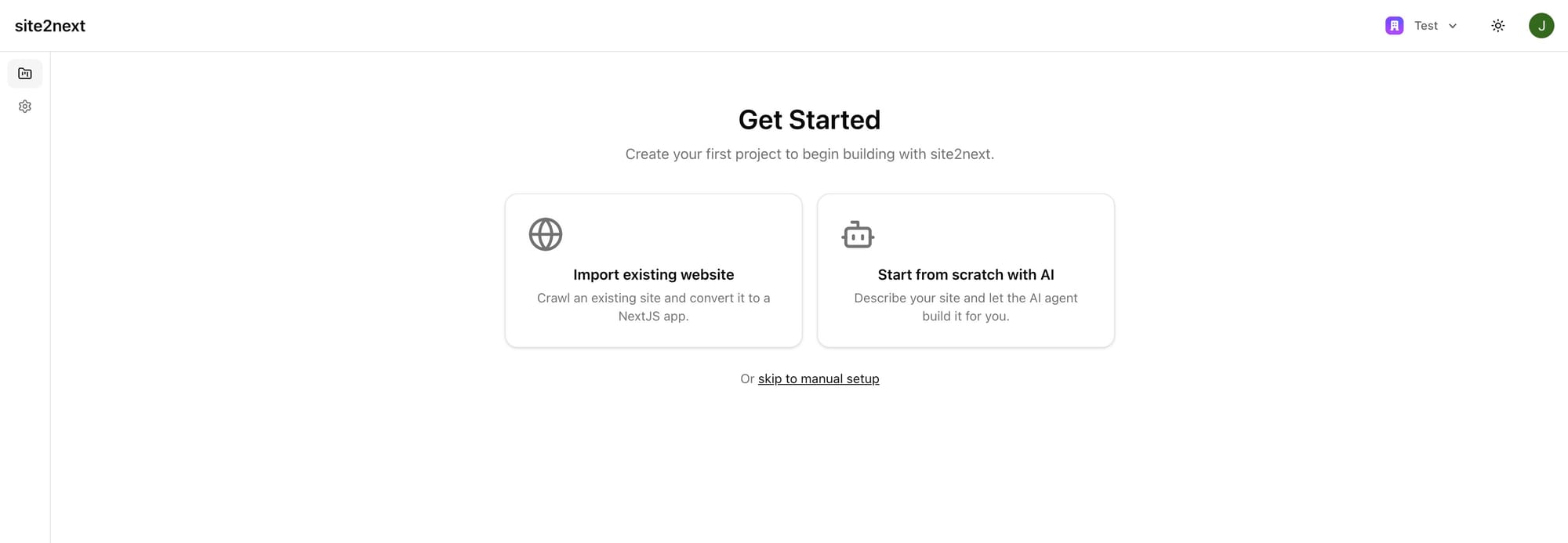
When you first log in to site2next, you're greeted with a clean onboarding screen that gives you two paths:
- Import existing website — Crawl a live site and convert it to Next.js
- Start from scratch with AI — Describe what you want and let the AI agent build it
For this tutorial, we're converting an existing website, so we'll choose Import existing website.
Step 2: Enter Your Site Details
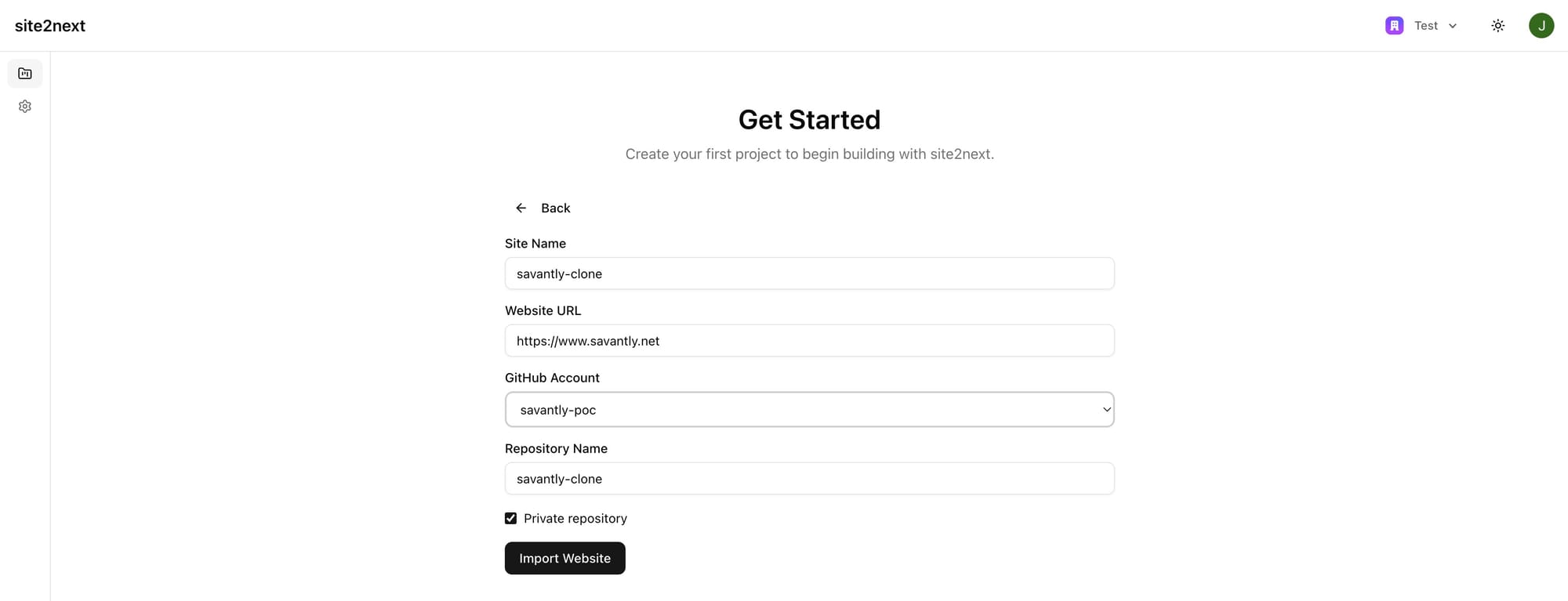
After selecting the import option, you'll see a simple form asking for four things:
- Site Name — A friendly name for your project (e.g., "savantly-clone")
- Website URL — The full URL of the site you want to convert (e.g.,
https://www.savantly.net) - GitHub Account — Select which GitHub account or organization should own the new repository
- Repository Name — What to call the new repo (defaults to your site name)
You can also choose whether the repository should be private. Once everything looks right, click Import Website.
That's it for setup. site2next takes over from here.
Step 3: The Crawl
Behind the scenes, site2next's crawler visits your website, starting with the sitemap if one exists. It downloads every page's HTML, along with all CSS, JavaScript, images, and other assets. Everything gets committed to a dedicated Git branch in your new repository.
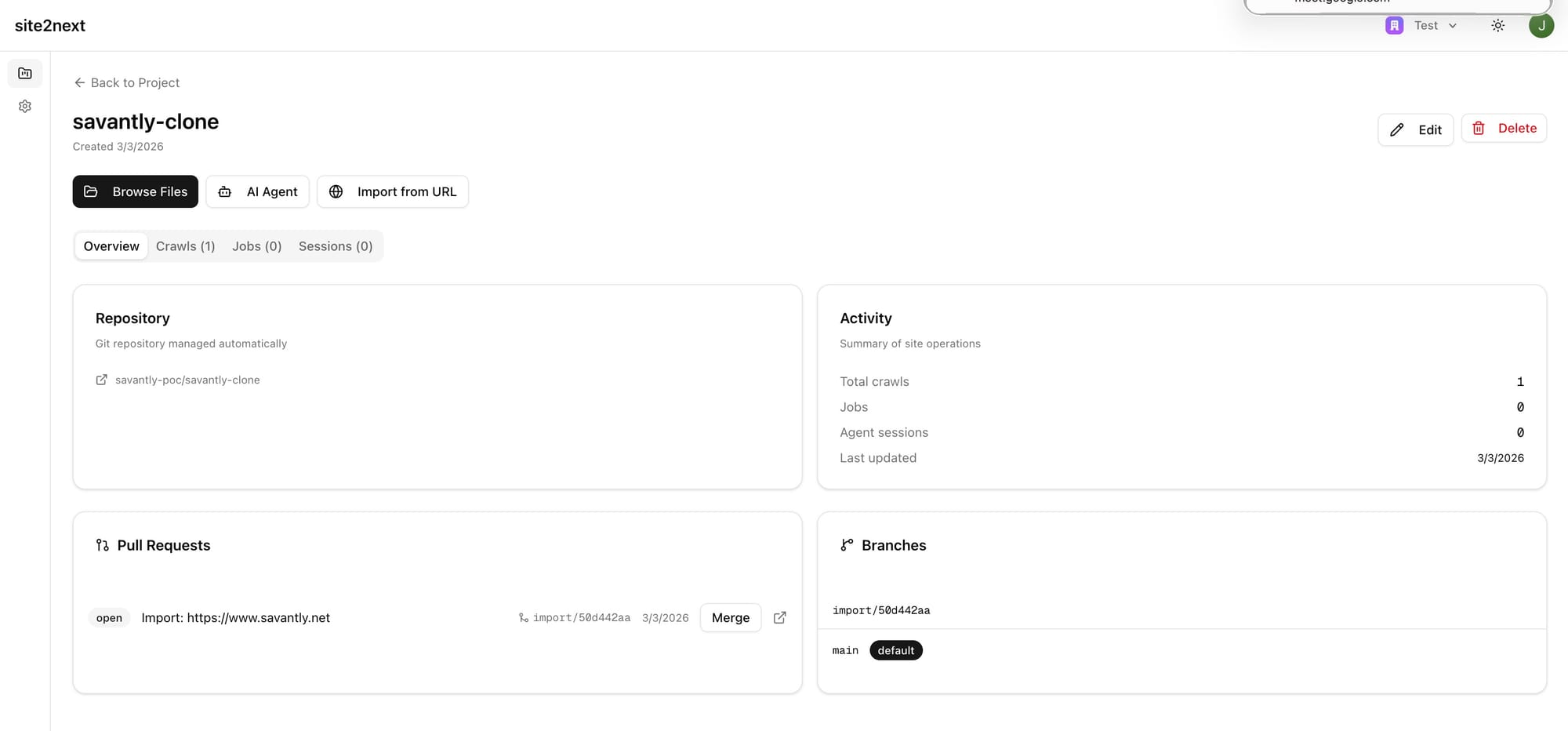
When the crawl completes, you'll land on the Site Overview page. Here you can see:
- Repository — A direct link to your GitHub repo (managed automatically by site2next)
- Activity — A summary of crawls, jobs, and agent sessions
- Pull Requests — The import PR is already open and ready
- Branches — The import branch alongside your default
mainbranch
At this point, your website's content is safely stored in Git. But it's still raw HTML — not yet a Next.js app. That's where the AI conversion comes in.
Step 4: AI-Powered Conversion to Next.js
From the site overview, you can trigger the conversion. site2next runs a multi-phase AI pipeline:
- Scaffold — Raw HTML is transformed into valid JSX with proper React conventions
- AI Conversion — Our AI agents analyze the site structure and rewrites pages using React components and Tailwind CSS, extracting reusable patterns like headers, footers, and navigation
- Build Verification — The app is compiled to make sure everything builds cleanly. If there are errors, an AI agent automatically diagnoses and repairs them
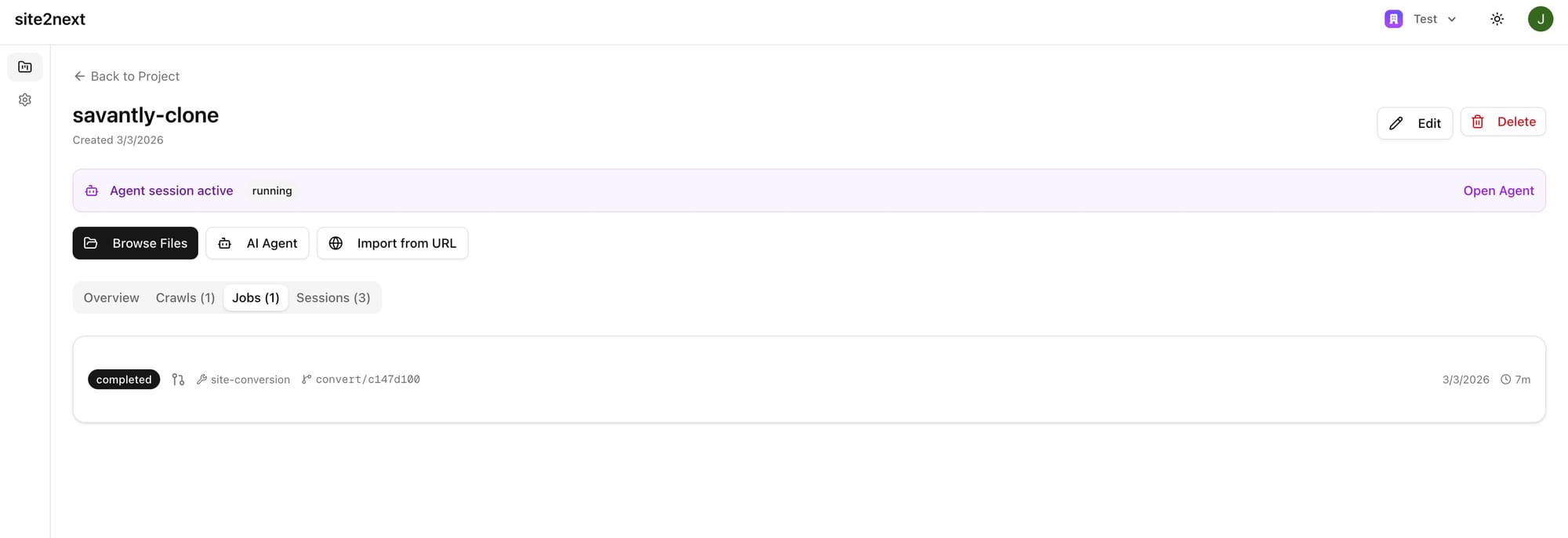
You can monitor progress in the Jobs tab. The status bar shows exactly where things stand.
The entire conversion typically takes just a few minutes, depending on the size of your site.
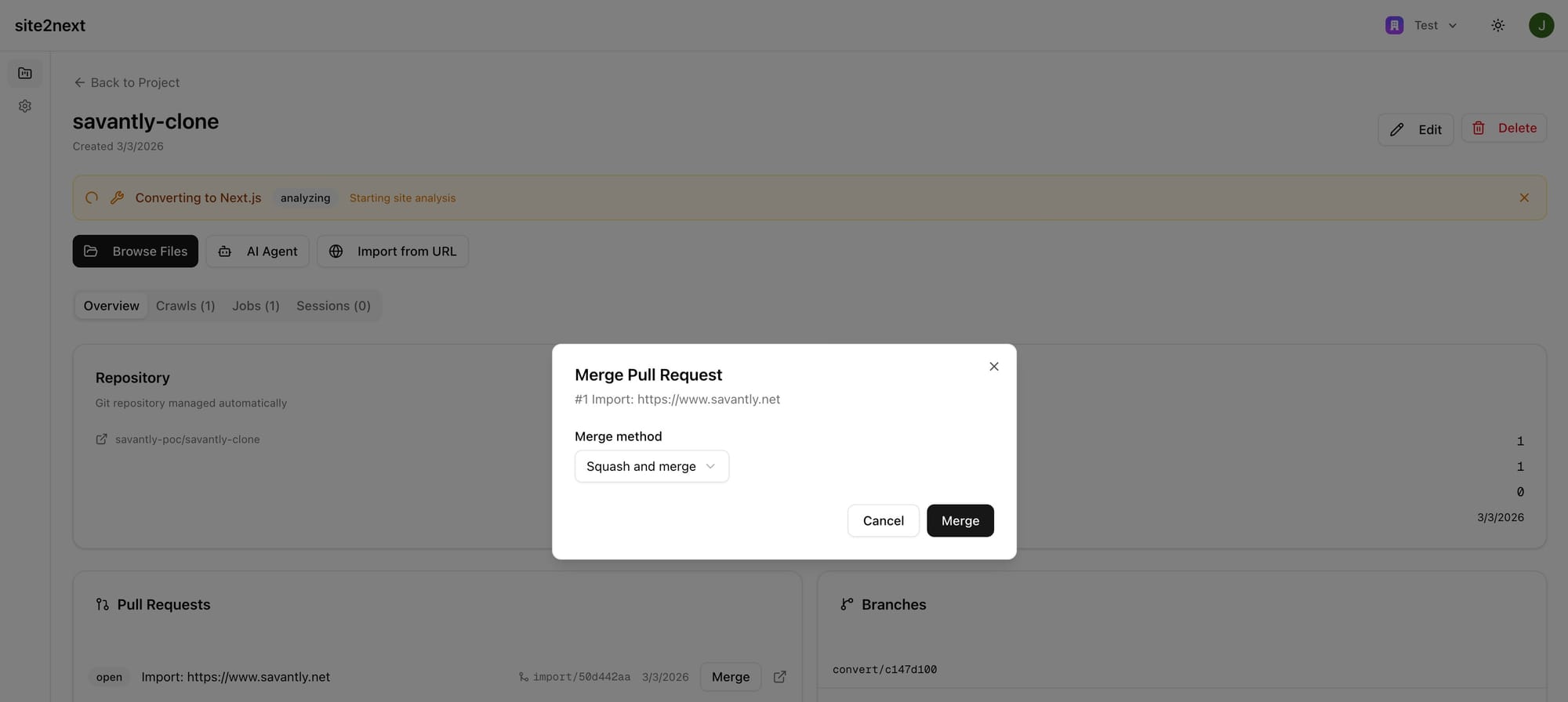
Step 5: Review and Merge
When the conversion finishes, a pull request is automatically created on GitHub with all the changes. You can review the diff directly on GitHub, or use the built-in merge dialog right inside site2next.
The merge dialog lets you choose your merge strategy (squash and merge is the default) and merge with a single click.
Once merged, your main branch contains a fully functional Next.js application — ready to deploy to Vercel, Netlify, Cloudflare Pages, or any hosting platform that supports Next.js.
Step 6: Refine with the AI Agent
Here's where site2next really shines. Your converted site is a great starting point, but you'll probably want to make adjustments — tweak the layout, update copy, add new sections, or improve the design.
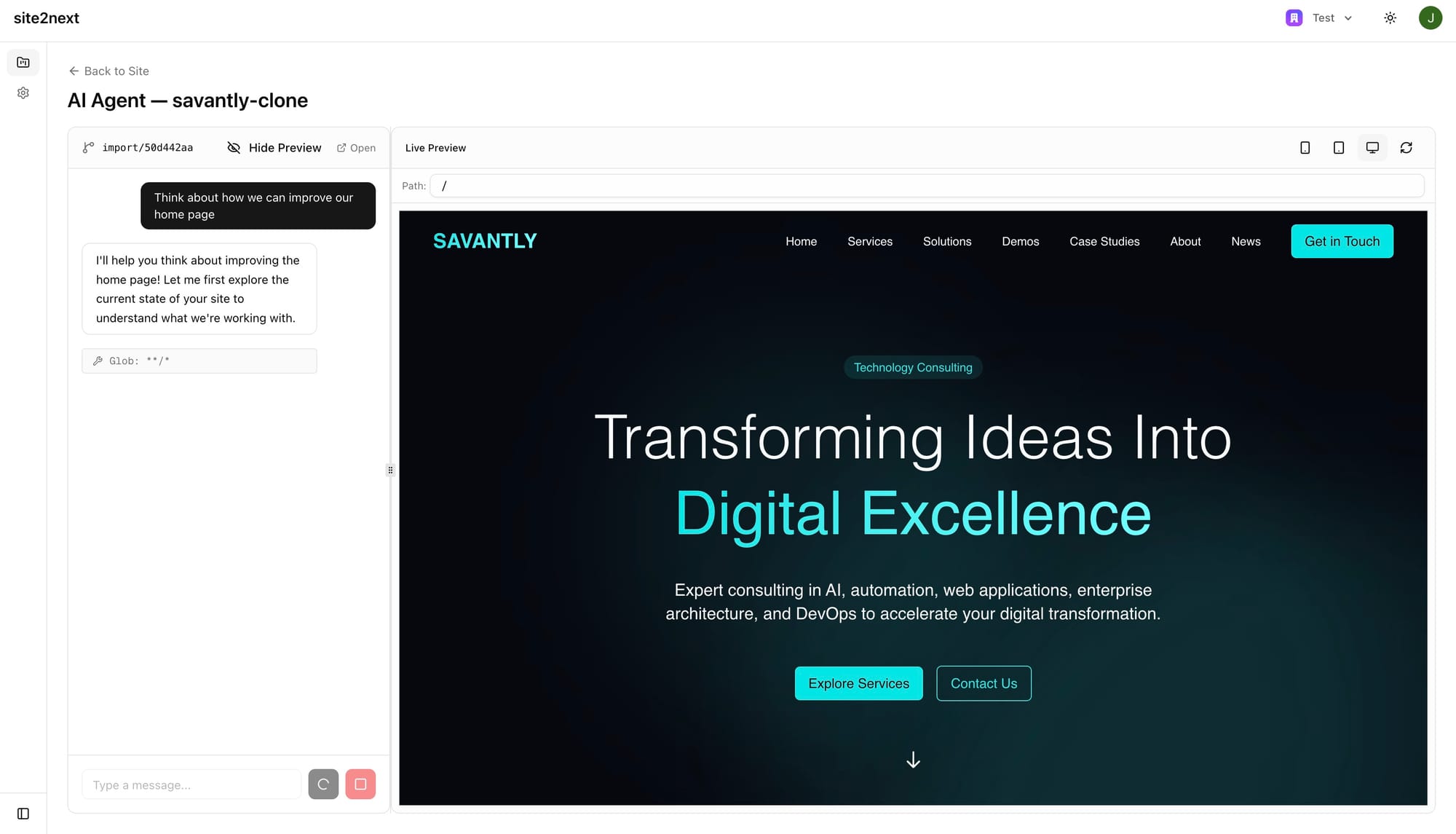
Instead of writing code manually, you can open the AI Agent and have a conversation about what you'd like to change. The agent has full access to your repository and can read, edit, create, and delete files on your behalf.
For example, you might say: "Think about how we can improve our home page"
The agent will explore your codebase, analyze the current state of the page, and respond with thoughtful, specific suggestions — all while you watch the Live Preview update in real time on the right side of the screen.
Step 7: Get Intelligent Suggestions
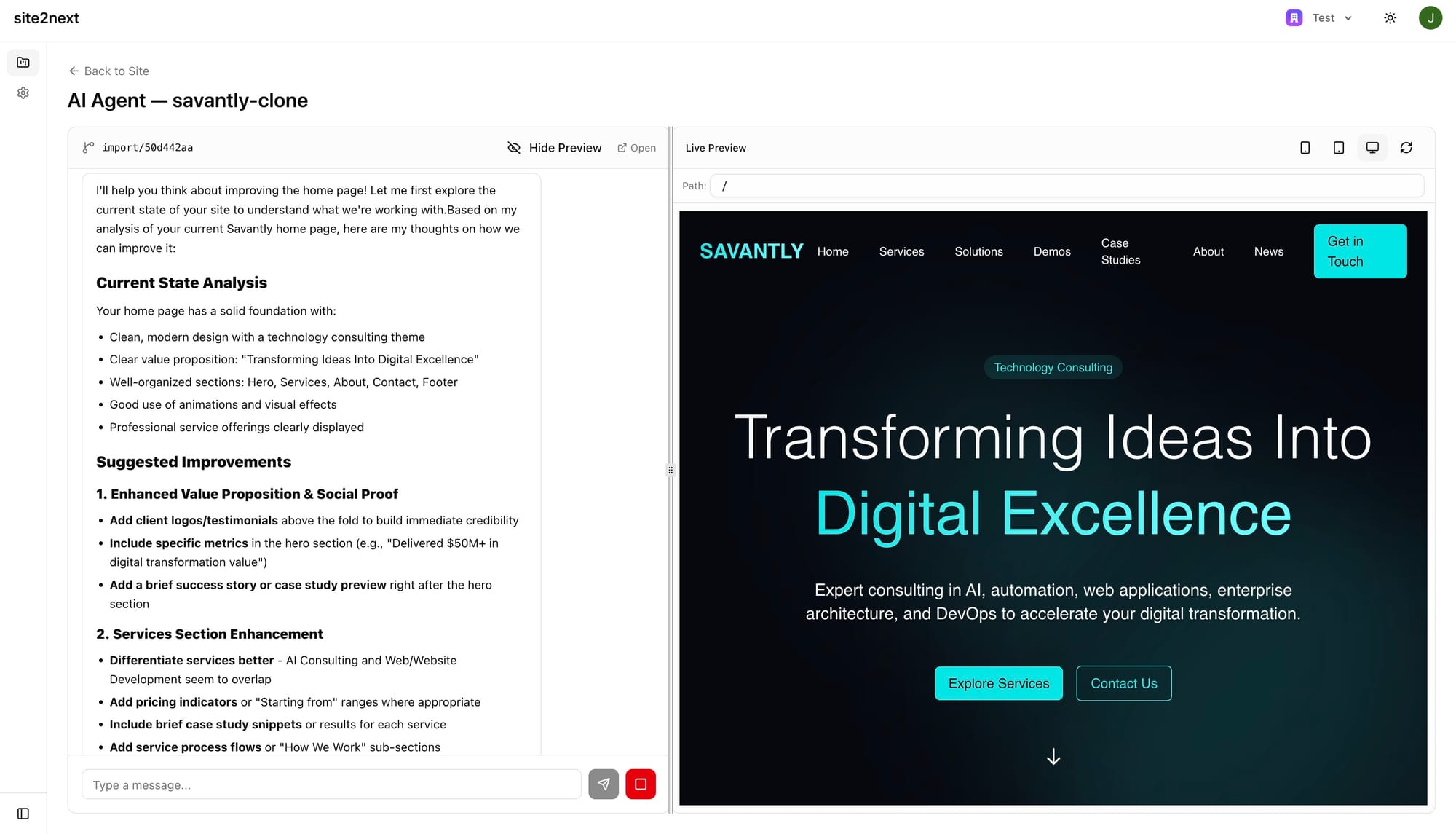
The AI agent doesn't just make the changes you ask for — it thinks critically about your site and offers actionable recommendations. Here's an example of the kind of feedback you might receive:
- Enhanced Value Proposition — Add client logos, specific metrics, and success stories to build credibility
- Services Section Enhancement — Differentiate overlapping service offerings, add pricing indicators, include case study snippets
- Process Flow Improvements — Add service-specific process flows and "How We Work" sub-sections
Each suggestion is specific, practical, and tailored to your site's content and structure. You can accept suggestions, ask for alternatives, or take the conversation in a completely different direction.
What You End Up With
At the end of this process, you have:
- A production-ready Next.js application in a GitHub repository you own
- React components and Tailwind CSS instead of raw HTML and legacy stylesheets
- A Git history tracking every change from import through conversion and refinement
- An AI agent you can return to anytime for ongoing updates and improvements
- A site that loads 5x faster, has zero plugin vulnerabilities, and costs a fraction to host
The entire process — from pasting your URL to merging a working Next.js app — can take as little as 15 minutes.
Ready to Try It?
site2next is in early access. If you're running a WordPress site, a legacy CMS, or any website that could benefit from modern performance and security, we'd love to help you make the switch.
Visit site2next.com to get started, or get in touch to talk through your migration.
site2next is built by Savantly — technology consulting for businesses ready to modernize.